

Social media has never lacked metrics, followers, reach, saves, watch time, yet anyone running accounts or agencies still loses hours across spreadsheets, exports, and screenshots before explaining why a Reel worked or where a competitor opens a gap. Social Pulse starts from a different question: what if you talked to an analyst in natural language instead of assembling another panel?
This article describes Social Pulse from a product and experience angle: flow, public data, and the role of AI. Commercial, operational, and infrastructure details live on the official product site.
Portfolio case with screenshots ↗ Try beta ↗
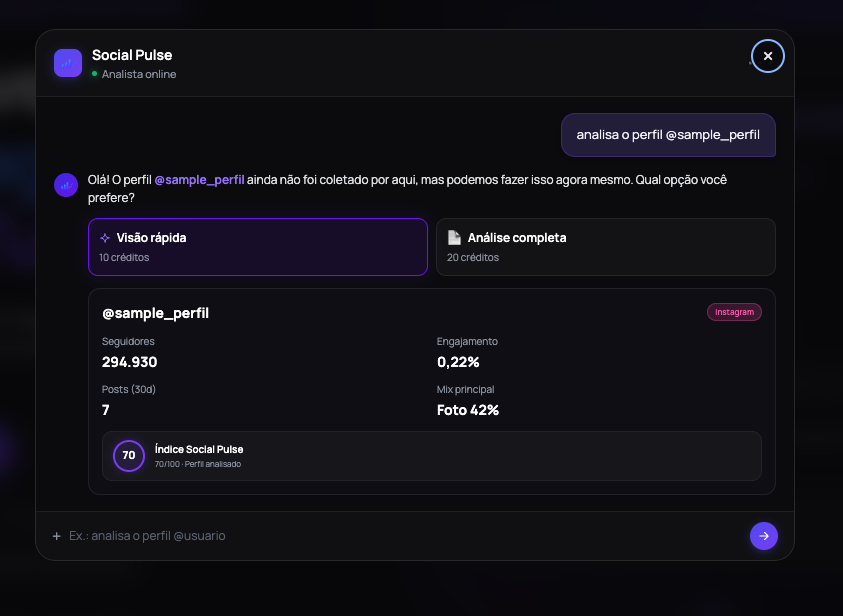
Public landing: from question to insight, without vague “real-time” promises.
1. Why conversation
The traditional path is linear: pull data, drop it in a sheet, build a dashboard, interpret manually. It works, but cognitive cost is high, especially when the question changes every meeting (“compare these two profiles”, “why did this post beat the median?”, “what should we prioritize next week?”).
Social Pulse compresses that into a webchat: you state intent, the system proposes collection depth (quick view vs full analysis), spends credits only after confirmation, and returns interpreted readouts, composite index, scorecards, post verdicts, side-by-side benchmarks.
Instagram and YouTube are live in the product. Everything starts from public data analyzed on demand, with no social account connection required to explore the proposition on the marketing landing.
2. Product flow
The experience is meant to feel like an analyst beside you, not corporate BI:
- Shortcuts and natural language (
/ analyze @brand,/ compare @A with @B, post links). - Explicit depth choice (smaller sample vs expanded collection) before spending credits.
- Shareable report URLs, useful when agencies send readouts to clients.
- Deep post analysis when it matters: visual/readout + comments + verdict.
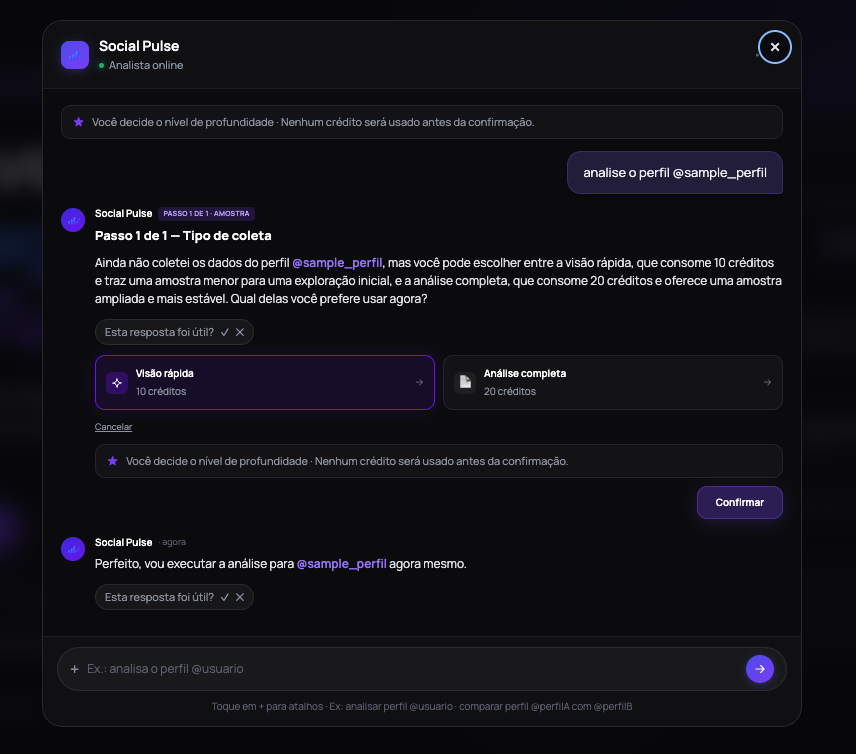
Cost confirmation before collection, transparency as a feature, not fine print.
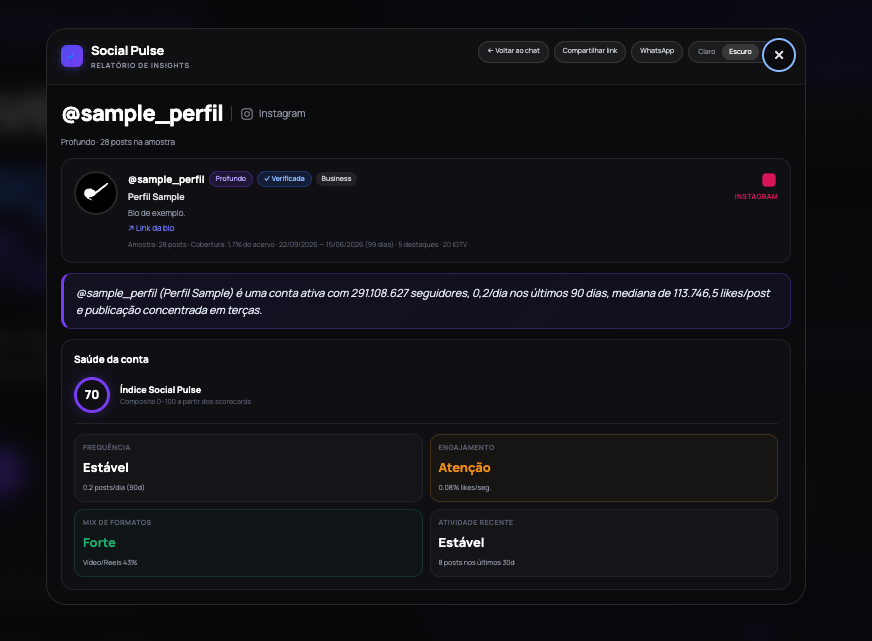
From chat to report: 0–100 index and dimensions (frequency, engagement, format mix).
3. Collection and architecture
Behind the chat sits a conventional web app: public landing, authenticated area for people using the analyst, analysis services, and storage for requests and reports. The trial experience and the marketing landing stay separate, people trying the product do not need the same surface as visitors who are only learning the proposition.
Public profiles and posts are collected on demand, with caching to avoid redundant work. Frequent flows (analyze profile, compare accounts, deepen on a post) use deterministic paths; open-ended questions go through AI that interprets only what was already measured in the sample, within the limits of the chosen collection depth.
Report access control, usage policies, and operational detail are not part of this case, they live on the product site and in documentation that ships with the beta.
4. AI with clear bounds
AI in Social Pulse does not replace strategy, it interprets what was measured. Real product examples:
- Compare a post to the account median and express it as “reach pulse” and multiple vs median.
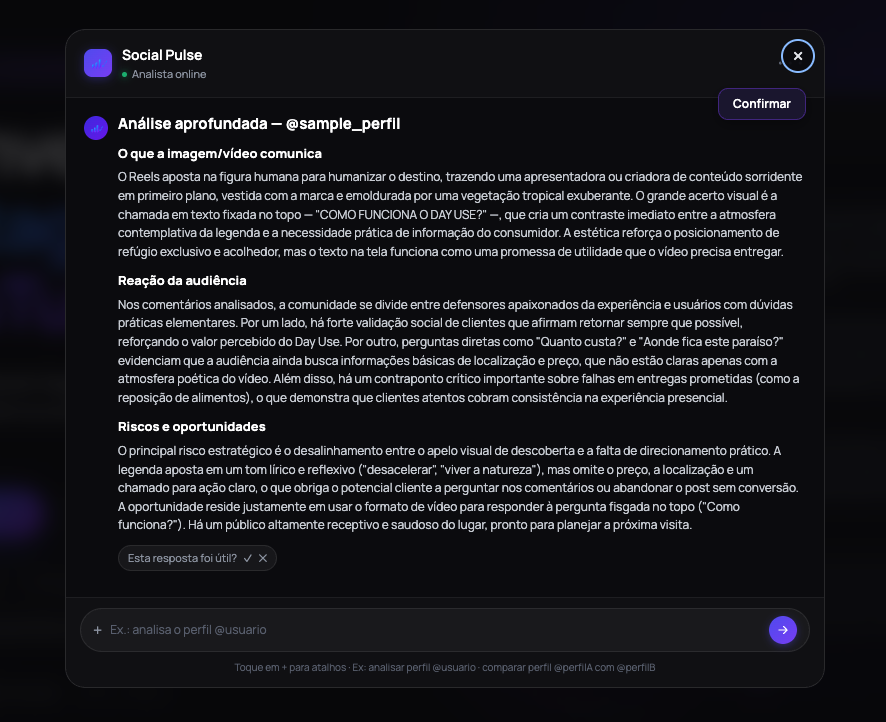
- Qualitative read of creative + comments (praise, pricing questions, operational criticism).
- Suggest risks and opportunities in meeting language, not tables alone.
Conscious limits: public data, finite samples, and collection latency. Users need to know which depth they chose before running, hence the confirmation step in chat.
Single post: narrative verdict beyond like counts.
5. Where to try it
socialpulse.observer, positioning, use cases, FAQ, and beta access. On this portfolio, /social-pulse/ collects screenshots and official links in PT/EN.
If you operate Instagram or YouTube and live between benchmarks and status meetings, try asking a real question in the beta, Social Pulse is less about “one more metric” and more about shortening the path to a decision.